Phone setup · Calls & SMS
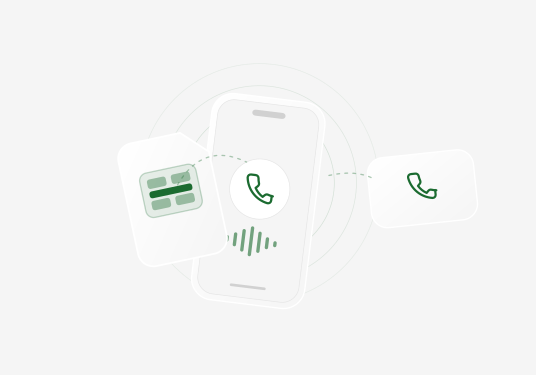
How to make calls with a data-only eSIM.
Get online, call the hotel, and keep your usual number reachable. Those are three different jobs, and your setup should reflect that.
Choose your calling setup Zbigniew Kubinski
Picture the problem: you land late, your data works, and the hotel driver is nowhere to be seen. The hotel has a normal phone number, not WhatsApp. Meanwhile, your bank has sent a login code to the number you use at home.
You do not have one connectivity problem. You have three:
- Get online. A data eSIM solves this.
- Call out. A calling app or internet phone service solves this.
- Stay reachable. Your home line, a voice-and-text plan, or a separate number solves this.
One product does not need to perform all three jobs. Once you separate them, the right setup becomes much easier to choose.
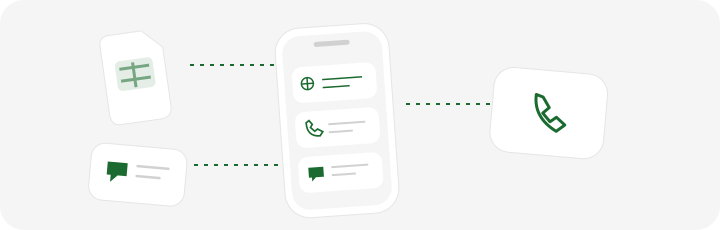
- Mobile data
- Your travel eSIM connects apps to the internet.
- Outgoing calls
- App-to-phone calling reaches ordinary phone numbers over data.
- Your usual number
- Your home SIM handles its incoming calls and SMS, subject to your carrier’s availability and charges.
Choose the Setup That Matches the Job
| What you need | Best default | Check before you rely on it |
|---|---|---|
| Call friends or family who use the same app | WhatsApp, FaceTime, Signal, or another app over your eSIM data | The app works in your destination and both people use it |
| Call a hotel, airline, restaurant, landline, or mobile number | An internet calling service or a plan with voice minutes | Destination support, per-minute rate, and caller ID |
| Receive calls and SMS on your usual number | Keep your home line active and use the travel eSIM for data | Voice and SMS roaming fees from your home carrier |
| Receive bank verification codes | Keep the number your bank already knows available | The bank accepts your backup login method or number type |
| Give people a temporary number | A voice-and-text travel plan or separate virtual number | Incoming calls, SMS, country, expiry, and renewal terms |
| Reach emergency services | A conventional cellular line or another local emergency option | Internet calling products may not support emergency calls |
Call friends or family who use the same app
- Best default
- WhatsApp, FaceTime, Signal, or another app over your eSIM data
- Check before you rely on it
- The app works in your destination and both people use it
Call a hotel, airline, restaurant, landline, or mobile number
- Best default
- An internet calling service or a plan with voice minutes
- Check before you rely on it
- Destination support, per-minute rate, and caller ID
Receive calls and SMS on your usual number
- Best default
- Keep your home line active and use the travel eSIM for data
- Check before you rely on it
- Voice and SMS roaming fees from your home carrier
Receive bank verification codes
- Best default
- Keep the number your bank already knows available
- Check before you rely on it
- The bank accepts your backup login method or number type
Give people a temporary number
- Best default
- A voice-and-text travel plan or separate virtual number
- Check before you rely on it
- Incoming calls, SMS, country, expiry, and renewal terms
Reach emergency services
- Best default
- A conventional cellular line or another local emergency option
- Check before you rely on it
- Internet calling products may not support emergency calls
For most travelers, the practical setup is simple: travel eSIM for data, calling apps for people you know, and the home line kept available for important texts. Add an internet calling service only when you need to reach a normal phone number.
First, Check What the Plan Actually Includes
An eSIM is a digital SIM profile, not a type of mobile plan. A carrier can put data, voice, SMS, or any combination of them on an eSIM.
The plan label matters more than the word "eSIM":
- Data only gives the line mobile internet but no conventional calls or SMS.
- Data, voice, and text adds a number, voice minutes, and SMS under the plan's rules.
- Data plus an app-based phone service uses one product for internet and another for calls or a virtual number.
Do not infer calling features from the checkout headline. Open the plan details and look for a phone number, included minutes, SMS allowance, calling area, and expiry. If none are listed, treat the plan as data-only.
Five Ways to Call While Using a Data-Only eSIM
1. Use an app when both people have it
WhatsApp, FaceTime, Signal, and similar apps carry calls over your eSIM data. This is usually the cheapest and easiest option for friends, family, and coworkers.
Installing a travel eSIM does not change your WhatsApp number. Keep using the account as usual. Do not select WhatsApp's Change Number option unless you intend to move the account permanently.
Calling apps are less useful when the other party has only a normal phone number. They can also be restricted by destination. WhatsApp calling and FaceTime may be limited on local networks in the UAE, while WhatsApp is blocked in mainland China. Availability varies by app, network, and local rules, so keep a second option.
Traveling to either destination? Read our guides to using WhatsApp in China and staying connected in the UAE.
2. Use an internet service to call a real phone number
This is the option many eSIM guides skip. An app-to-phone service uses your data connection, but the hotel, airline, bank, or restaurant receives a normal call. The other person does not need your app.
Needing to call a number does not mean you need to own a new number. If you only need to call out, compare the per-minute rate and supported destinations before paying for a monthly number subscription.
Enter numbers in international format: +, country code, and the full number. Remove a local prefix such as the first 0 when the country's dialing rules require it. The U.S. State Department's communication guide also recommends saving important contacts, country codes, and local emergency numbers before departure.
3. Keep your home line active
Many recent phones can keep two lines active. The travel eSIM handles data while your home line remains available for calls and SMS.
Apple documents using one eSIM for a home number and another for travel. Google's Pixel guidance lets supported phones choose separate SIMs for data, calls, and messages.
This preserves the number your family, bank, and contacts already know. It does not make roaming free. Your carrier may charge for incoming calls, outgoing calls, voicemail, or SMS even when mobile data uses the travel line.
Use this baseline configuration:
Your two-line setup
- Mobile data
- Travel eSIM
- Calls and SMS
- Home line
- Home-line data roaming
- Off
- Travel-eSIM data roaming
- As your provider requires
- Automatic data switching
- Off
That last setting matters. Without it, a weak travel signal can push your phone back onto expensive home-carrier data.
4. Buy a plan with voice and SMS
A voice-and-text travel eSIM behaves more like a prepaid local SIM. It can be the cleanest option when you need conventional calling throughout one country.
Read the limits carefully. A plan's data may work across several countries while its voice minutes work only locally. The number may come from another country, reject short codes, or expire with the plan. International calls may cost extra even when the plan advertises international data.
5. Add a virtual number when people need to reach you
A virtual number lives in an app and works through mobile data or Wi-Fi. It can give hotels, clients, or delivery drivers a temporary way to call you without exposing your personal number.
Before subscribing, ask seven specific questions:
- Can the number receive and place calls?
- Can it receive and send SMS?
- Are short codes, MMS, and international texts supported?
- Do messages arrive in the app or the phone's normal inbox?
- What caller ID will other people see?
- How long do you keep the number?
- Will the services you use accept it for verification?
A virtual number that receives a text from a friend may still fail with a bank, ride app, or government service. Treat verification as service-specific, never guaranteed.
Do You Actually Need a New Phone Number?
Most short trips do not require one. Use this test:
- You only need to place calls: use an app-to-phone service. A new number is optional.
- You need calls from people who know your regular number: keep the home line active.
- You need a disposable contact number: consider a virtual number.
- You need local cellular calls and texts all trip: choose a voice-and-text eSIM or local prepaid plan.
- You need bank codes: keep the number already registered with the bank and add a non-SMS backup method.
The costly mistake is buying a number before deciding what it must do. "Includes a number" does not tell you whether it supports incoming calls, outgoing calls, SMS, short codes, caller ID, or emergencies.
How Travel eSIM Providers Handle Calls and Numbers
These product details were checked against official provider information on August 24, 2026. Offers change, so verify the exact plan before purchase.
| Provider | Current model | Limitation to notice |
|---|---|---|
| Guac | Data eSIM plus Guac Phone for calls to supported real numbers. An optional US or Canadian Guac Number handles incoming calls and caller ID. | Two-way texting is not currently available. Guac Phone is not an emergency service. |
| Airalo | Many data-only plans and selected Data, Voice & Text plans. | The number, minutes, SMS, and calling area depend on the package. |
| Saily | Data eSIM with an optional US wireless number service. | No MMS, premium short numbers, or call forwarding. |
| Holafly | Data-only destination plans; subscriptions can include a virtual US, Canadian, or UK number. | The virtual number focuses on incoming SMS, not outgoing SMS or conventional incoming calls. |
| aloSIM | Data eSIM with a separate Hushed number in many eligible offers. | It requires a second app, and availability and duration vary by offer. |
Guac
- Current model
- Data eSIM plus Guac Phone for calls to supported real numbers. An optional US or Canadian Guac Number handles incoming calls and caller ID.
- Limitation to notice
- Two-way texting is not currently available. Guac Phone is not an emergency service.
Airalo
- Current model
- Many data-only plans and selected Data, Voice & Text plans.
- Limitation to notice
- The number, minutes, SMS, and calling area depend on the package.
Saily
- Current model
- Data eSIM with an optional US wireless number service.
- Limitation to notice
- No MMS, premium short numbers, or call forwarding.
Holafly
- Current model
- Data-only destination plans; subscriptions can include a virtual US, Canadian, or UK number.
- Limitation to notice
- The virtual number focuses on incoming SMS, not outgoing SMS or conventional incoming calls.
aloSIM
- Current model
- Data eSIM with a separate Hushed number in many eligible offers.
- Limitation to notice
- It requires a second app, and availability and duration vary by offer.
The table is not a winner ranking. It shows why you must compare the job each product performs, not the number of features in its headline.
Run This Preflight Check Before You Fly
Do this on reliable Wi-Fi, while you still have time to contact your carrier or eSIM provider:
- Confirm the plan type. Find the exact data, voice, SMS, number, and expiry terms.
- Check the phone. Make sure it is carrier-unlocked and supports the two lines you plan to use.
- Install without starting the clock early. Follow the provider's activation instructions because validity rules differ.
- Label the lines
HomeandTravel. Then choose Travel for mobile data. - Block accidental home data. Turn off data roaming for Home and automatic data switching.
- Protect important logins. Add a passkey, authenticator app, or backup code where available. Test one login before departure.
- Test the awkward call. Call a normal phone number, not only a friend on WhatsApp.
- Save a non-internet fallback. Know the local emergency number and how you would call it if data stopped working.
On iPhone, start in Settings > Cellular. On Pixel, use Settings > Network & internet > SIMs. Samsung usually calls the area SIM manager. Menu names can change with software updates, but the decisions remain the same.
Your WhatsApp account should stay on its current number. On iPhone, check Settings > Apps > Messages > Send & Receive if your home number matters for iMessage. Conventional SMS still needs an active home line, a plan that includes SMS, or a separate number service.
Where Guac Fits
Guac treats data, outgoing calls, and having a number as separate jobs. You can buy only what the trip requires.
Guac eSIM supplies travel data for maps, browsing, hotspot, messages, and internet calls. Use the travel data calculator if you are unsure how much to buy.
Guac Phone uses any working internet connection to call supported mobile and landline numbers. That connection can come from Guac, another data provider, or Wi-Fi. Calls use Guac Credit, and the rate appears before you dial. You do not need a Guac Number to place a call.
Guac Numbers are optional US or Canadian numbers available in the Guac app. They can receive calls and appear as caller ID when you use Guac Phone. A number is a separate monthly or annual subscription. Two-way texting is not currently available.
Guac Phone is not an emergency service. Guac Numbers are internet-based, and some banks and online services may reject them for verification. Keep a conventional calling option when safety or account access depends on it.
If data is the missing piece, browse Guac plans. If you need to call a real number, open the Guac app. Still comparing providers? Read our international eSIM guide.
The Bottom Line
A data-only eSIM does not silence your phone. It changes how the call reaches the other person.
Use a calling app when both people have it. Use an app-to-phone service for hotels, airlines, restaurants, banks, and landlines. Keep your home line active when your usual number and verification texts matter. Pay for a separate number only when someone genuinely needs to call you on it.
Make those decisions before departure. Five calm minutes at home beats learning how two SIMs, roaming, and bank verification work while your canceled flight is on hold.
Frequently asked questions
Can you make normal phone calls with a data-only eSIM?
Not as conventional cellular calls on the data-only eSIM line. You can make app-to-app calls over its data, use an internet calling service to reach real mobile and landline numbers, or keep your home line active for cellular calls.
Does a data-only eSIM have a phone number?
Usually not. A data-only travel eSIM supplies mobile internet without a usable voice or SMS number. A provider may offer a separate virtual number, and selected voice-and-text eSIM plans include a number. Check the plan type before buying.
Can a data-only eSIM receive SMS?
The data-only line cannot receive conventional SMS. You can still receive messages on an active home SIM, on a travel plan that includes SMS, or through a separate number service. Carrier roaming fees and service-specific limits may apply.
Will a travel eSIM change my phone number or WhatsApp number?
No. Installing a travel eSIM adds another line; it does not replace your home number. WhatsApp continues using the number already registered to the account unless you deliberately use WhatsApp's Change Number feature.
Can I receive bank verification texts while using a travel eSIM?
Yes, if the number your bank uses remains active and can receive SMS abroad. The safest setup is often the home line for SMS and the travel eSIM for data. Ask your carrier about fees, and do not assume a virtual number will work with every bank.
Can I use my physical SIM and a travel eSIM at the same time?
Yes, on a phone that supports Dual SIM Dual Standby. Many recent iPhones and Android phones can keep two lines active, with one selected for data and the other for calls and messages. Device and carrier support varies.
Do emergency calls work through a data-only eSIM or internet calling app?
Do not rely on them. A data-only line has no conventional voice service, and internet calling products may not connect to emergency services or transmit your location. Know the local emergency number and keep a conventional calling option when necessary.
Do I need a Guac Number to make calls with Guac Phone?
No. Guac Phone can place calls over any working internet connection, and calls are paid with Guac Credit. A Guac Number is only needed if you want an optional US or Canadian number for incoming calls and caller ID.
Sources and further reading
References linked in this edition. Check current plan terms and official advice before you travel.